

If-then plans: how to write implementation intentions that work
What field studies on if-then plans found, why a date alone is not enough, and four rules for writing a plan that survives a real week.
Habit Observer is a honeycomb habit tracker that is private by design. Open it and start right away. Every habit, streak and stat is stored on your phone and seen by you alone. Fill the hive one cell at a time, online or offline.

Free for 3 habits. One-time PRO unlock for up to 7, never a subscription.
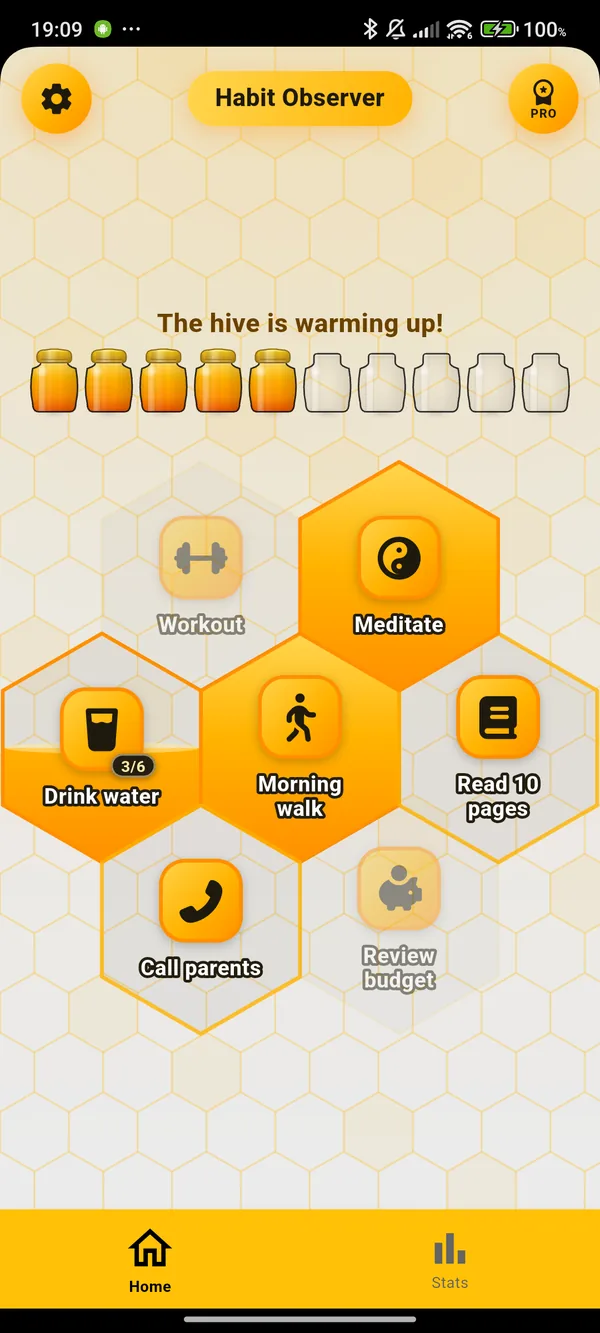
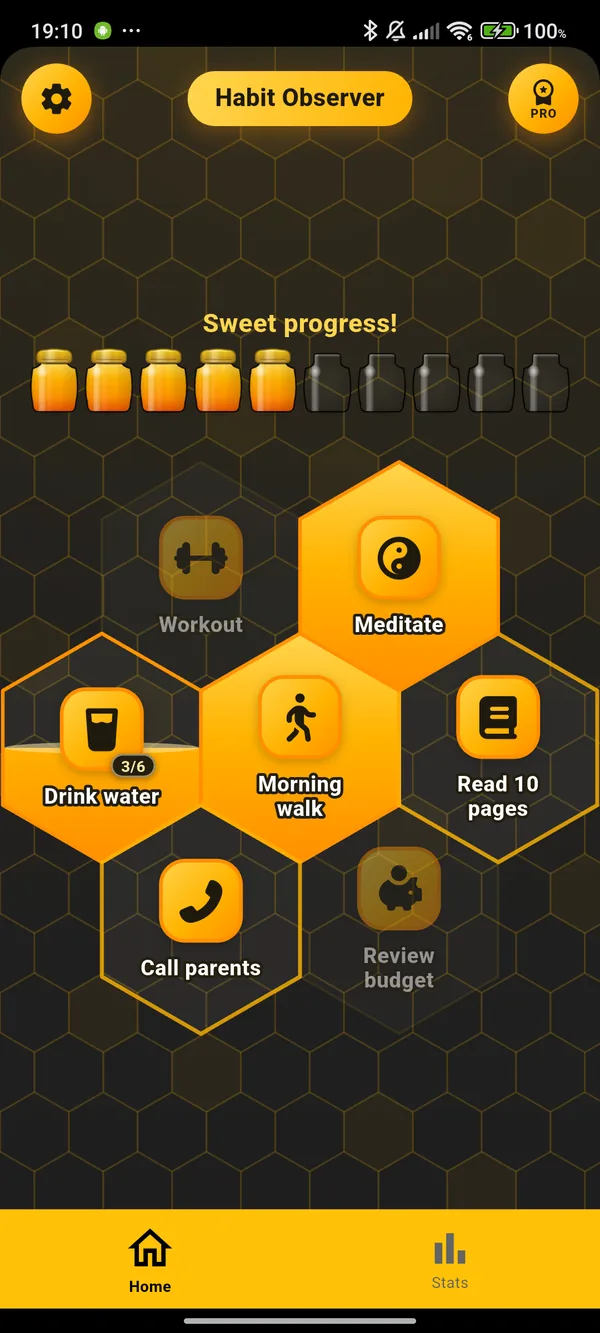
Every habit is a cell. Complete one and it fills with honey: the board shows your whole day at a glance, without a single row of grey boxes.
Up to 7 habits arranged as a hive. Slide to complete, undo if you tapped too soon, and watch the jars fill as the day goes on.
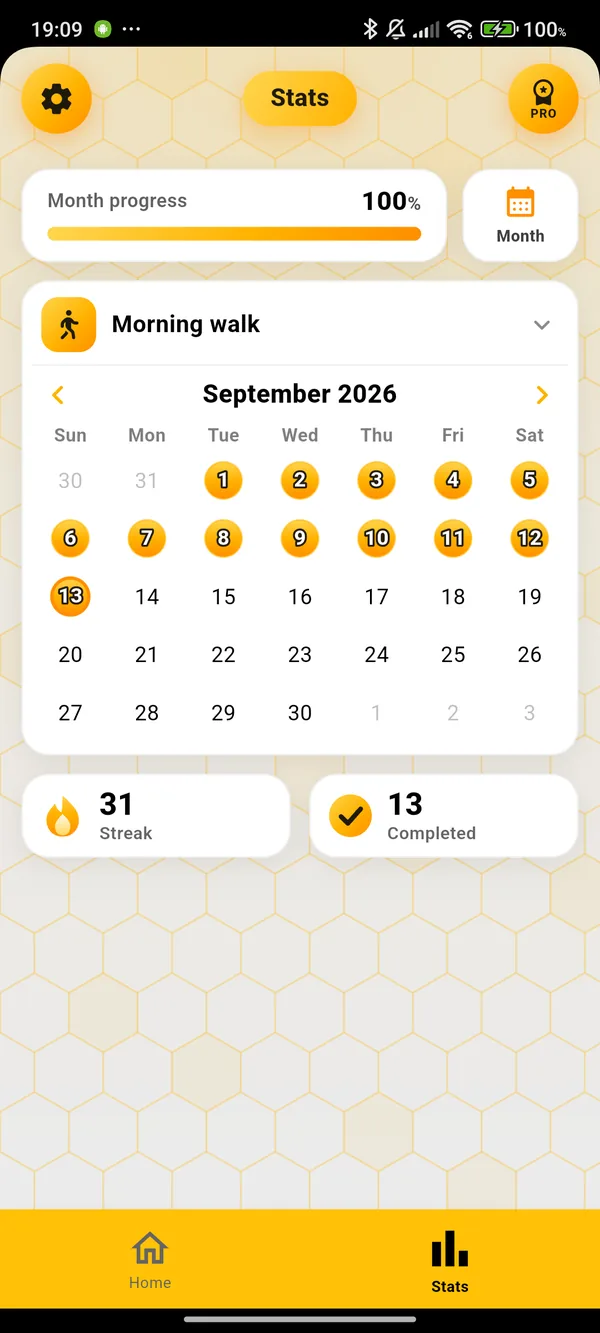
Month calendar free; quarter, year and all-time views with PRO. Streaks, check-ins, best month and active months, all computed on the device.
Local notifications scheduled by your phone. Reminders are free for everyone: we don't hold a basic feature hostage.
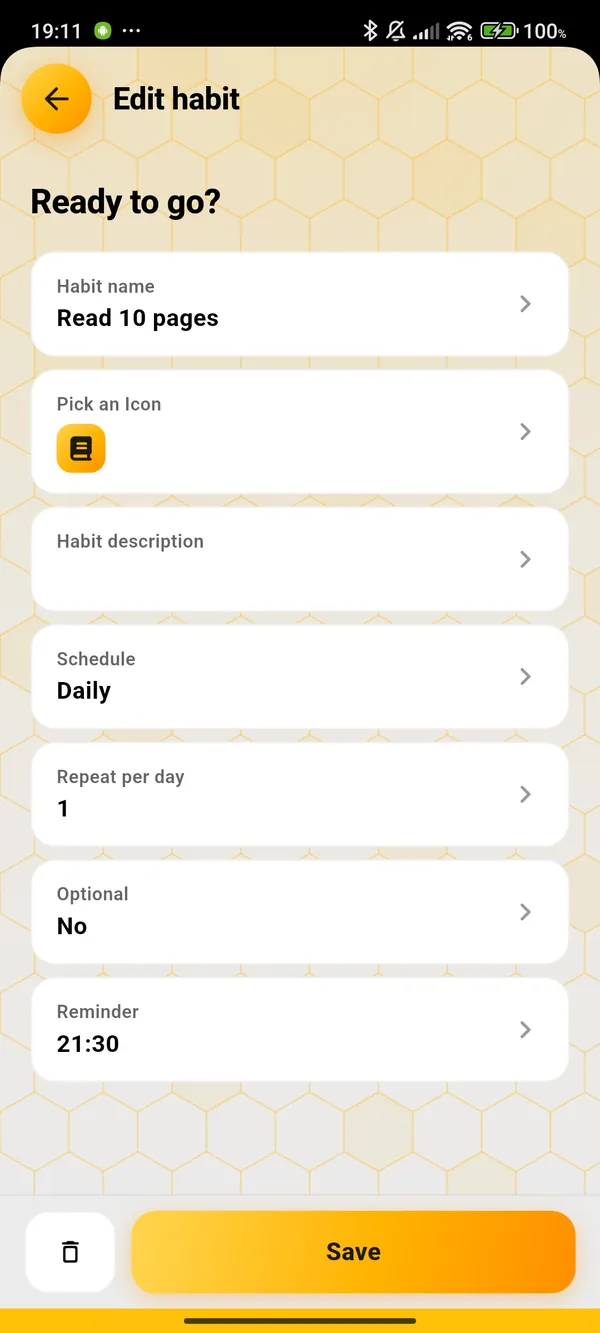
Daily, chosen weekdays, chosen days of the month, once a week, once a month, or several times a day. Habits can be optional or required.
Start from a ready habit (health, focus, home, money and more) or write your own with a custom icon.
Both themes are first-class, with the hive texture in either. English and Russian, and your choice of first weekday.
Most apps promise to handle your data carefully. Habit Observer is built so your data has one home: your phone. The app contains no code that connects to the internet, so privacy is not a setting you have to trust. It is how the app is made.
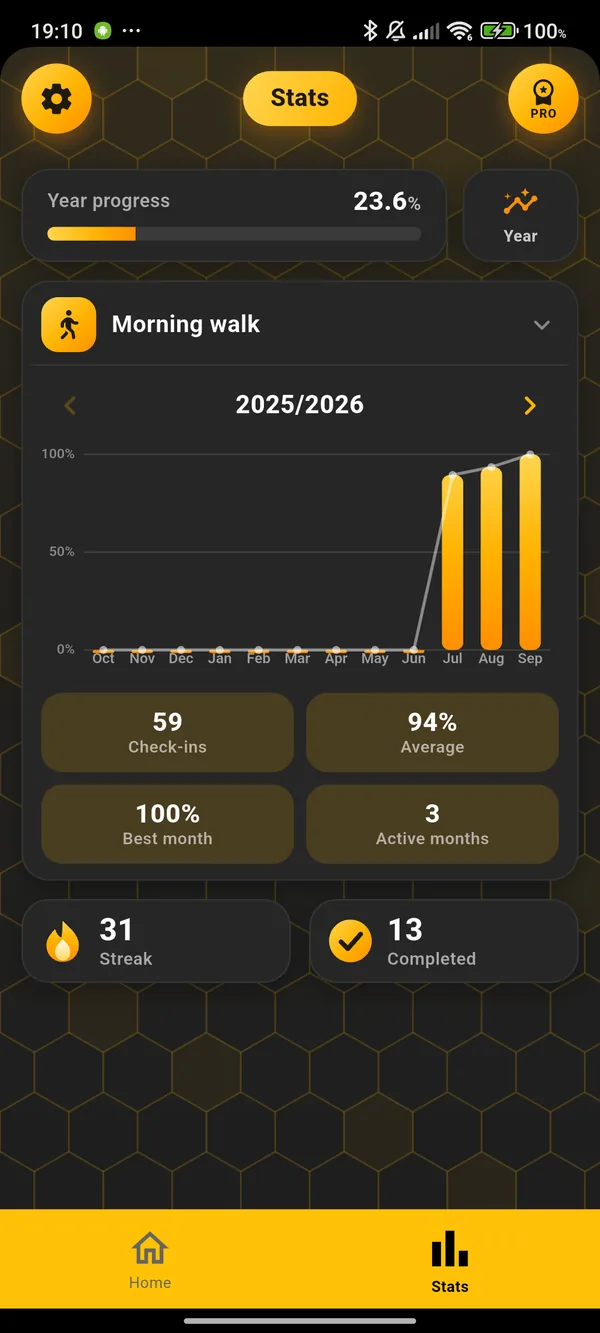
Real screens from the shipping app, not mockups.
No subscription, no trial that expires, no ads. Try it free for 3 habits and unlock the rest once.
Everything you need to start.
See the current price on your store page.
What research says about building habits that last. A new article every week.
What field studies on if-then plans found, why a date alone is not enough, and four rules for writing a plan that survives a real week.

One missed day can end a habit because of the story you tell about it. What studies on broken streaks found, and how to build a streak that survives a bad day.

What research says about tying a new habit to an existing routine, why after beats before, and how to pick an anchor that actually fires.

Not 21 days. What the research on habit formation actually measured, why the range is so wide, and three things that shorten the road.
Just the app. Install it, open it and add your first habit in under a minute. There is no sign-up screen, so you start tracking right away.
No. Habit Observer has no sync and no cloud: that is the trade for having no account and no servers. Your PRO unlock restores on your other devices through the store, but habit data stays on each device.
Yes. The app contains no networking library at all: no HTTP client, no analytics SDK, no crash reporter. The only network traffic is the app store's own billing check when you purchase PRO.
Everything is deleted with the app, because it only ever existed in the app's private storage. There is no copy anywhere else.
Never. PRO is a single one-time purchase. If you have bought it, "Restore purchase" brings it back on a new device at no cost.
The hive is a deliberate limit. Seven habits you actually keep beat thirty you abandon in a week, and the board stays readable at a glance.
Yes. Habit Observer is on the App Store for iPhone and iPad, with the same features and the same one-time PRO.
Completely. Habits, streaks, statistics and reminders all run on your phone, so the app works the same on a plane, on the subway or in airplane mode.
Pick a time for any habit and your phone delivers the reminder as a local notification. It arrives on time even with no connection.
Daily, weekly or monthly; chosen weekdays or days of the month; several times a day; and optional habits that never break a streak. Start from about 50 ready-made templates in 10 categories, or create your own with an icon.
Up to 7 habits on the board instead of 3, quarter, year and all-time statistics, and editing of past days up to a month back. One payment unlocks it for good.
With PRO you can mark any day up to a month back, and the day counts in your statistics. A month is the window people genuinely remember.
Yes. Habit Observer is also in the OxiSoft F-Droid repository at fdroid.oxisoft.io. It is the same build Google Play delivers, signed with the same key, so you can switch between the two stores and keep updating.
Android 7.0 or newer and iPhone or iPad with iOS 15 or newer.
English and Russian. The store pages are available in eight languages.
Settings, then Reset all data, wipes everything instantly. Uninstalling the app does the same.
Install it, add a habit, fill a jar today. No sign-up screen stands in the way.